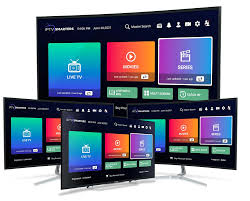
Internet television has become an increasingly convenient way to organize live and on-demand entertainment. Instead of depending entirely on traditional television packages, viewers can use compatible streaming devices, internet connections, IPTV services, and dedicated IPTV players to create a more flexible setup.
For beginners, however, the terminology can initially feel confusing. An IPTV player is not necessarily an IPTV provider, and an application cannot create channels that are not supplied by a content source. Understanding this distinction makes the entire setup much easier.
A TiviMate IPTV Free Trial can be a practical opportunity to explore an IPTV service before deciding whether it suits our viewing habits. A trial may allow us to test channel availability, playback stability, program information, device compatibility, and overall usability. Trial terms vary by provider, so we should always check what is included and use only services that are authorized to distribute their content.
This complete walkthrough explains the process in straightforward language, from preparing the device to testing the service and troubleshooting common issues.
What Is TiviMate?
TiviMate is an IPTV player designed to organize and play compatible IPTV content. It provides an interface through which users can manage playlists, browse channels, view program information, and personalize their viewing experience.
TiviMate is therefore different from a television channel provider.
The application does not automatically supply live television channels simply because it has been installed. We need a compatible IPTV service or playlist containing content that we are authorized to access.
This distinction is particularly important for beginners because many people assume that installing an IPTV player is the same as subscribing to IPTV. In reality, the player and content source are separate parts of the setup.
What Is a TiviMate IPTV Free Trial?
The term TiviMate IPTV Free Trial usually refers to a trial offered by an IPTV provider that can be accessed using the TiviMate player.
The trial period gives us an opportunity to evaluate a provider without immediately committing to a longer subscription. Depending on the provider, the trial may offer access to some or all of the available content for a limited period.
A useful trial should allow us to examine more than whether channels open. We should pay attention to streaming stability, image quality, program information, navigation, compatibility, and customer support.
Trial conditions can change, so the provider’s current terms should always be reviewed before starting.
Why Beginners Should Test IPTV Before Subscribing
Choosing an IPTV service based only on advertisements can be difficult. A provider may claim excellent quality and reliability, but the actual experience depends on multiple factors.
A trial allows us to test the service in our own environment.
We can determine whether:
- Channels load consistently
- The picture quality meets expectations
- The electronic program guide works properly
- The service performs well on our device
- Navigation is convenient
- The connection remains stable
- The available content matches our interests
- Customer support is responsive
This makes the trial an evaluation period rather than simply a temporary entertainment option.
What We Need Before Setup
A basic setup usually requires several components.
Compatible Streaming Device
We need a device that supports TiviMate and the relevant IPTV playback requirements.
Internet Connection
A stable broadband connection is essential for streaming. High-resolution content can require substantially more bandwidth than standard video.
TiviMate Application
The IPTV player needs to be installed through an appropriate and trustworthy distribution method.
Authorized IPTV Service
We also need a legitimate provider that supplies the playlist, account credentials, or other connection information required by the service.
Having these components ready makes the setup process much easier.
Step 1: Prepare the Device
Before installing anything, connect the television or streaming device to the internet.
Check whether other streaming applications can access the internet successfully. This simple test can prevent confusion later. If the device cannot reliably connect to the internet, IPTV playback will naturally be affected.
We should also ensure that the device has enough available storage and that its operating system is reasonably up to date.
Step 2: Install TiviMate
Install the TiviMate application using a trustworthy and compatible source.
Avoid unknown software packages or suspicious downloads. Unverified applications can introduce unnecessary security and privacy risks.
After installation, open TiviMate and review the initial settings. There is no need to change every available option immediately.
For beginners, a basic configuration is usually the best place to start.
Step 3: Choose a Legitimate IPTV Trial
If an IPTV provider offers a trial, review the terms before activating it.
Look for clear information about:
- Trial duration
- Available content
- Supported devices
- Pricing after the trial
- Cancellation conditions
- Customer support
- Content authorization
We should avoid providers that make unrealistic claims or provide unclear information about their services.
Step 4: Add the Playlist
After receiving the appropriate account or playlist information, enter it into the relevant section of TiviMate.
The exact process can vary depending on the authentication method used by the IPTV provider.
Accuracy is important. A single incorrect character in a username, password, server address, or playlist URL can prevent the service from loading.
If the playlist fails, carefully recheck the information before changing other settings.
Step 5: Wait for the Channels to Load
Once the playlist has been added successfully, TiviMate should process the available content.
Large playlists can take longer to load than smaller ones. We should give the application enough time to complete the process rather than repeatedly restarting it.
Once loading is complete, browse several categories to confirm that the playlist has been imported correctly.
Step 6: Configure the EPG
The electronic program guide, or EPG, provides information about scheduled programming.
If the IPTV provider supplies EPG information, configure it according to the instructions provided.
A properly configured guide can display:
- Current programs
- Upcoming shows
- Program titles
- Descriptions
- Broadcast times
This feature makes IPTV feel more like a conventional television experience.
Step 7: Create a Favorites List
A large IPTV playlist can contain far more channels than we actually watch.
Creating favorites is one of the easiest ways to simplify navigation.
We can select frequently watched channels and place them in a dedicated favorites section. This eliminates the need to browse a long list whenever we want to watch a familiar channel.
TiviMate IPTV Free Trial: How to Test the Service Properly
During a TiviMate IPTV Free Trial, we should test different aspects of the service rather than watching one channel for a few minutes.
Start with several channels from different categories.
Check whether they load quickly and remain stable.
Then test the service at different times when possible. Network conditions and provider demand can change throughout the day.
If the trial includes legitimate live sports or other fast-moving programming, test those streams as well. Fast motion can expose problems with frame rate, compression, and network stability.
Testing Video Quality
Picture quality should be evaluated carefully.
We should look for:
- Clear details
- Natural movement
- Consistent resolution
- Minimal pixelation
- Limited compression artifacts
- Stable brightness and color
A stream advertised with a particular resolution is not automatically high quality. Bitrate and compression have a major impact on what appears on the screen.
A well-encoded lower-resolution stream can sometimes look better than a poorly compressed higher-resolution stream.
Testing Channel Stability
Channel stability is another important consideration.
A stream that loads quickly but disconnects repeatedly is not particularly useful for regular viewing.
During the trial, switch between multiple channels. Pay attention to whether streams freeze, disconnect, or repeatedly restart.
If only one channel has problems, the issue may be specific to that stream. If many channels experience similar problems, we should investigate the network, device, or service.
Checking EPG Accuracy
The electronic program guide should correspond reasonably well with the actual schedule.
Check several channels rather than relying on one listing.
If the guide information is consistently inaccurate, outdated, or missing, the issue may be related to the provider’s EPG data.
TiviMate IPTV Free Trial and Internet Performance
A stable internet connection is essential for IPTV.
However, internet speed is not the only factor that matters.
Network congestion, wireless interference, router performance, packet loss, and the number of connected devices can all affect streaming.
For example, if several devices are simultaneously downloading large files while we are watching IPTV, the available bandwidth can decrease.
A stable connection with consistent performance is generally more useful than a connection that offers a high theoretical speed but frequently fluctuates.
Wi-Fi or Ethernet for IPTV?
Wi-Fi is convenient and can work well for streaming when the signal is strong and the network is properly configured.
Ethernet can provide greater consistency because the connection is wired.
If buffering continues despite good broadband service, testing Ethernet can help determine whether Wi-Fi is contributing to the problem.
For households where the router is close to the television or streaming device, Ethernet can be a particularly practical option.
How to Fix IPTV Buffering
Buffering does not necessarily mean the IPTV application is defective.
We can troubleshoot systematically.
Restart the Application
Close TiviMate completely and reopen it.
Test Another Channel
If one channel buffers but others work correctly, the issue may be isolated to that stream.
Check the Network
Test other applications on the same device to determine whether the broader internet connection is experiencing problems.
Reduce Network Activity
Temporarily pause large downloads, cloud backups, or other bandwidth-intensive activities.
Restart the Router
A router restart can resolve temporary connectivity issues.
Try Ethernet
If possible, connect the streaming device through Ethernet and compare performance.
Check the IPTV Provider
If multiple channels continue to buffer while the local network performs normally, the issue may originate from the provider’s infrastructure.
Common TiviMate Setup Problems
Playlist Not Loading
Double-check all credentials and playlist information.
No Channels Appearing
Confirm that the playlist was added correctly and that the provider’s service is active.
EPG Not Working
Check the EPG configuration and verify that the provider supplied the required information.
Channels Freeze
Test different channels and investigate network stability.
Slow Navigation
Very large playlists may place additional demands on older devices. Reducing unnecessary content or improving hardware can help.
Security Considerations for Beginners
Streaming applications should be treated like any other software.
We should use trustworthy application sources and avoid suspicious downloads.
Account information should remain private. Usernames and passwords should never be posted publicly.
We should also keep the streaming device and supported applications updated when updates are available.
A provider requesting unnecessary sensitive information should be approached cautiously.
Legal Considerations When Using IPTV
IPTV is a technology for transmitting video over internet networks, and using IPTV technology is not inherently illegal.
The key issue is content authorization.
We should use providers that have the appropriate rights to distribute the programming they offer. This is important for responsible viewing and can reduce the risks associated with questionable services.
A legitimate provider should be reasonably transparent about its service, terms, content, and support.
TiviMate IPTV Free Trial: How to Decide Whether to Continue
A TiviMate IPTV Free Trial should end with a clear evaluation.
Ask several practical questions:
Did the channels remain stable?
Was the picture quality satisfactory?
Did the EPG work correctly?
Did the service perform well on our device?
Was navigation convenient?
Was customer support helpful?
Did the service clearly explain its terms and content rights?
If the answer to these questions is positive, the service may be worth considering. If serious problems continue throughout the trial, there is little reason to ignore them simply because the channel list is large.
How to Improve the Overall IPTV Experience
A few simple habits can make IPTV more convenient.
First, keep the favorites list organized.
Second, remove unnecessary playlists or content that we never use.
Third, maintain a stable network connection.
Fourth, keep compatible hardware and applications updated.
Fifth, avoid changing advanced settings unnecessarily.
Finally, evaluate content quality rather than relying solely on advertised resolution.
These small improvements can make everyday navigation faster and reduce avoidable problems.
Who Benefits Most From a TiviMate Trial?
A trial is especially useful for viewers who are unfamiliar with IPTV and want to understand how the system works before paying for a longer subscription.
It can also benefit experienced users who are comparing different legitimate providers.
The biggest advantage is that the service can be tested in the actual environment where it will be used. A provider may perform differently on different devices and networks, so personal testing provides more useful information than generic claims.
Conclusion
A TiviMate IPTV Free Trial provides a practical way to evaluate a compatible IPTV service before making a longer-term commitment. For beginners, the process can be straightforward when the setup is approached one step at a time.
We begin with compatible hardware and a reliable internet connection. We then install TiviMate through a trustworthy source, connect an authorized IPTV service, configure the playlist and EPG, and organize frequently watched channels.
The trial should then be used for genuine testing. We should check channel stability, image quality, guide accuracy, navigation, device compatibility, and performance at different times.
If buffering occurs, we can troubleshoot systematically by checking the network, testing other channels, reducing network congestion, trying Ethernet, and determining whether the problem is local or provider-related.
Most importantly, we should not judge an IPTV service solely by the number of channels advertised. Reliability, content quality, compatibility, transparency, security, and authorized content are much more important for a dependable long-term experience.
With a properly configured player, suitable hardware, stable connectivity, and a legitimate IPTV provider, beginners can create a clean and manageable streaming environment without requiring advanced technical skills.
FAQs
1. What is TiviMate used for?
TiviMate is an IPTV player that helps organize and play compatible IPTV playlists. It does not automatically provide television channels.
2. What does a TiviMate IPTV Free Trial include?
A trial normally refers to temporary access offered by an IPTV provider. The exact channels, features, duration, and terms depend on the provider.
3. Do beginners need technical knowledge to use TiviMate?
Advanced technical skills are generally unnecessary for a basic setup. Users mainly need to install the application, enter compatible playlist information, configure the guide if available, and organize channels.
4. Why is IPTV buffering during the trial?
Buffering can result from network congestion, weak Wi-Fi, device limitations, provider-side issues, or problems with an individual stream. Testing different channels and connection methods can help identify the cause.
5. Is using IPTV legal?
IPTV technology itself is legal. The important consideration is whether the provider is authorized to distribute the content. We should use legitimate services with appropriate content rights.
