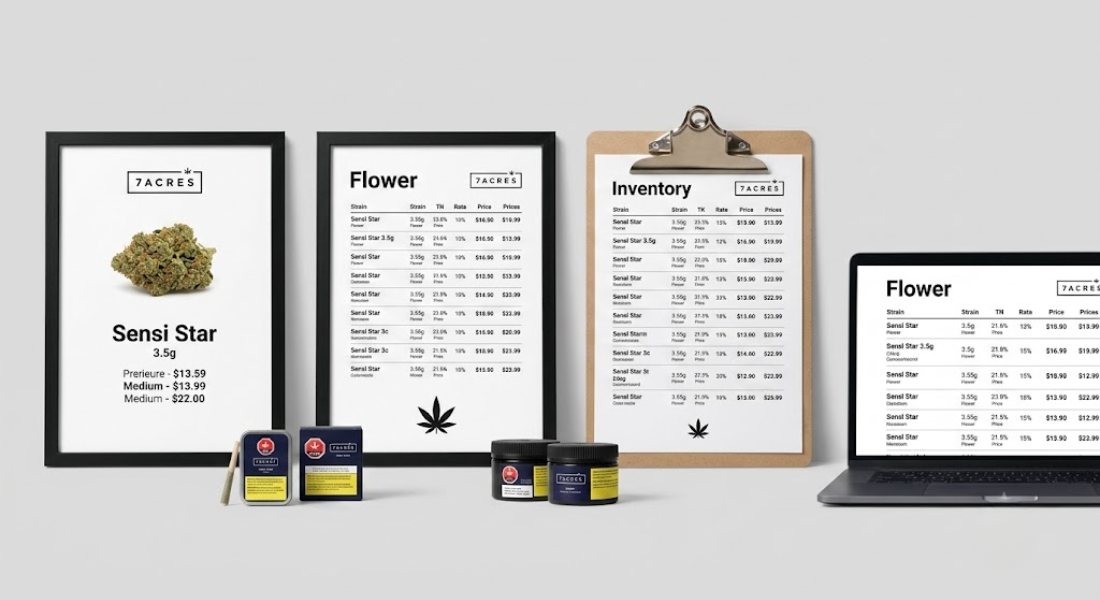
Entrepreneurs in cannabis learn quickly that the path to success is paved with strong customer service skills, an unwavering attention to regulatory compliance, and meticulous inventory management. More often than not, your menu drives the entire retail store experience. Hazy menu descriptions, slow screen loads, and out-of-stock items are sure-fire ways to kill sales, anger your customers, and bottleneck your budtenders.
Equip your store with powerful cannabis digital menu software to display inventory on-retail, integrate directly with POS systems, and merchandise your products like never before.
Whether selling via store layout inventory displays, digital wall menus, online ordering systems, or elegant digital menu boards your storefront cannabis menu is your silent salesperson.
The key to streamlining your digital menu displays starts with robust software.
Reasons Dispensary Owners Should Invest In Software
For retail businesses like dispensaries that thrive off quick-selling inventory, constant product rotation, complex pricing brackets, and strict compliance labeling—using static excel sheets or free website builders is like using a calculator to count your taxes.
Premade software designed for legalized cannabis allows you to:
Eliminate Tedious Manual Labor
Automatically pull data connected directly to your inventory management system so that whenever an item runs out-of-stock or pricing changes, your menu updates instantly everywhere that customers will see it—whether it’s online, on your in-store menu boards, or point-of-sale checkout station.
List Advanced Strain Information
Display precise THC/CBD potencies, associated license numbers, in-depth terpene profiles, and more. Keep your customers informed and safe with accurate menu labeling.
Intuitive drag-and-drop interfaces also give you complete control of the layout and merchandising of your product display—making it easy to showcase top-selling brands, your cheapest menu options, newest products, and more.
Why You Should Pay Attention to Menus Outside of Your Store
Market research and competitor analysis aren’t just for B2B startups. As dispensaries open rapidly around the country competing for market share within the same local shopping malls and strip-grounds, it can be highly beneficial to monitor your competitors’ menu—and price strategies.
Want to know what dispensary owners wish they knew about tracking competitors menus? Keep reading.
How to Spy on Your Competition’s Menus
Ever stroll through a competitor’s storefront with a grab sheet, secretly jotting down pricing data and new product releases? Well, you can spy on your competitors menu less conspicuously.
Instead of relying on good old-fashioned dead drops, learn how tracking competitors menus digitally can help streamline your marketing workflow and boost sales.
Monitor Local Menus for Changes
By gaining access to your competitors menu digital displays, you can start to identify which product categories are emerging at a local level. Do more dispensaries near you seem to be selling CBD products? Funnel more of your marketing budget into it.
Take Advantage of Unused Demand
Notice your competitor is frequently sold out of synthetic pens? Best part—it’s likely their inventory database is automatically updated as well. Start selling those sought-after items yourself.
Adjust Pricing on Menu Categories That Aren’t Selling
Real-time market research allows you to pivot pricing on local menu categories that aren’t performing well. If your entire city suddenly shifts preference to disposable vape pens, it may be time to lower your prices to avoid overstock. Cheers to lower margins, but higher sales volumes!
Use market research on menus to make informed business decisions that empower you to be proactive, not reactive.
Dispensary Menu Design Tips to Increase Sales
Software unlocks powerful features that allow you to organize and display your menu for maximum conversion. Follow these tips to optimize your menu displays on tablet, TV, and beyond.
- Make Text Easy to Read: Believe it or not, clear font goes a long way. Ensuring that someone across the room can easily read and identify your pricing will improve conversion.
- Organize Items By Category: Start with flower (Indica, Sativa, Hybrid strains), move into Pre-Rolls, vaporizers, Concentrates, Edibles.
- Include Important Product Attributes: Make sure your THC and CBD levels are easy to find. Menu software allows you to efficiently display associated terpene information next to each strain.
- Rotate Daily Specials and Promotions: Encourage cross-selling by dedicating a section of the screen real estate to banner promotions. Placing daily specials on cheap menu options or new products can entice customers to try new things.
Conclusion
Dispensary menu software presents a world of opportunities for businesses to compete at higher levels. By spying on competitors menu offers and tracking changes within your local area, you can identify inventory gaps and adjust pricing on slow-moving categories.
Ready to build custom menus for your retail space? Discover what BudSense Makes Sense by visiting our solutions page.
Frequently Asked Questions
What features should my dispensary menu software have?
From farm to customer sales floor displays, your menu is your ultimate brand statement. Dispensary menu software should include intuitive POS integration, advanced layout customization options, and full control over how your product is displayed.
Is there software that can integrate my dispensary digital menu with my POS system?
Yes! Most modern software allows you to connect your online presence with in-store displays. Streamline your digital menu management by connecting your POS system, eliminate human error, and empower your staff to serve more customers. BudSense can help—learn more here.
Can I use digital menu boards for my physical store and online website?
Yes! Many digital menu board applications allow you to customize an online menu template that seamlessly integrates with your brick-and-mortar displays. Learn more by visiting our MENU page.
